See the whole AP picture
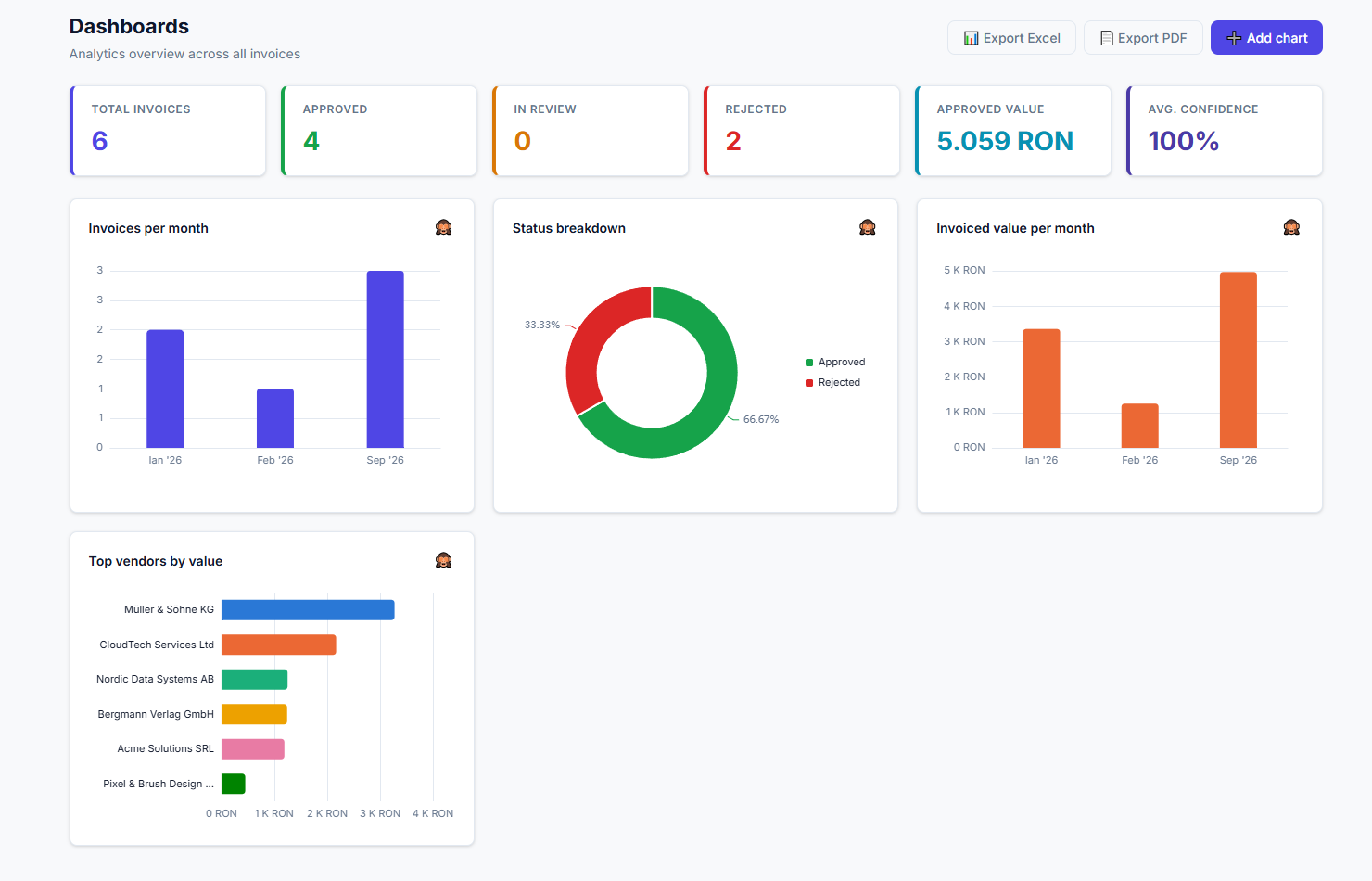
Turn invoice activity into clear monthly trends, approval ratios, and vendor value.
Extract structured data from PDF invoices, review and approve every result, match vendor, receiver, and purchase order reference data, then exchange invoice data with accounting, ERP, and finance applications through configurable exports.
Connect invoice workflows with:
Keep review and approval in your team’s hands before exporting invoice data.
0.6 sec
Processing time per document
Human review
Editable fields and approval control
TXT · CSV · XML
Configurable data exports
How it works
Move from PDF upload to reviewed, approved invoice data and structured exports in three clear steps.
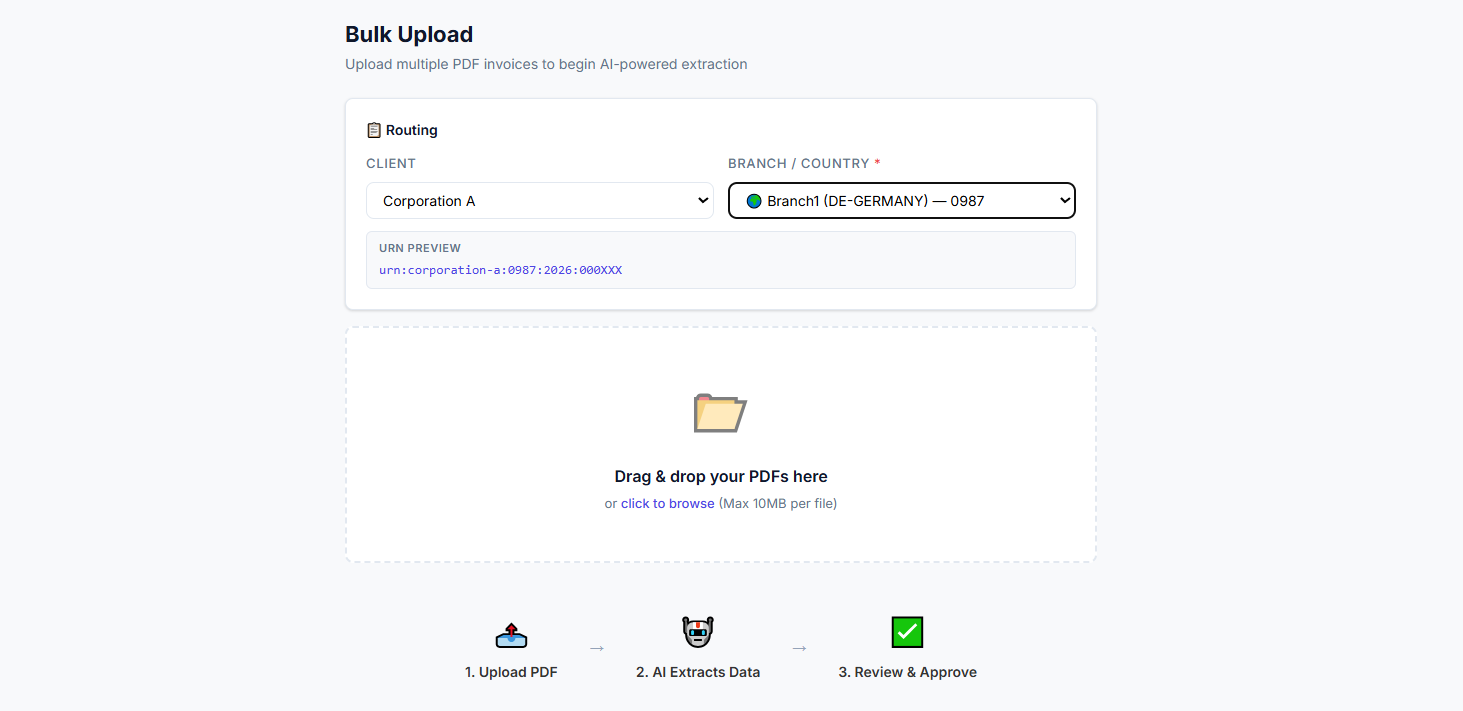
Upload a PDF invoice and let AI extract the fields configured for your client and workflow.
Check and edit extracted values, review confidence indicators, add notes, then approve or reject the document.
Download approved invoice data as TXT, CSV, or XML using the field names and output tags configured for your process.
Inside the platform
From the first upload to the final export, every screen is designed to keep your team moving and your data accountable.
Turn invoice activity into clear monthly trends, approval ratios, and vendor value.
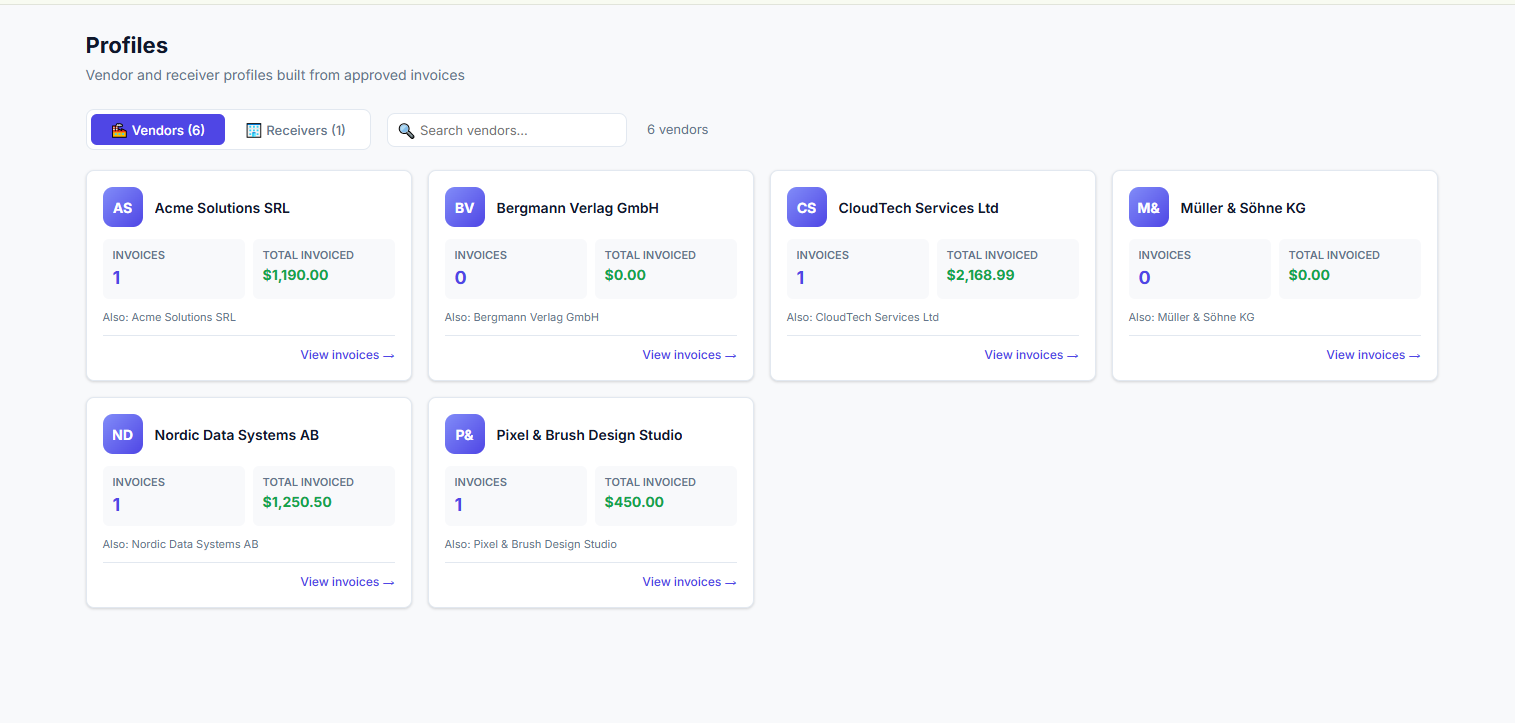
Approved invoice data becomes searchable vendor and receiver profiles automatically.
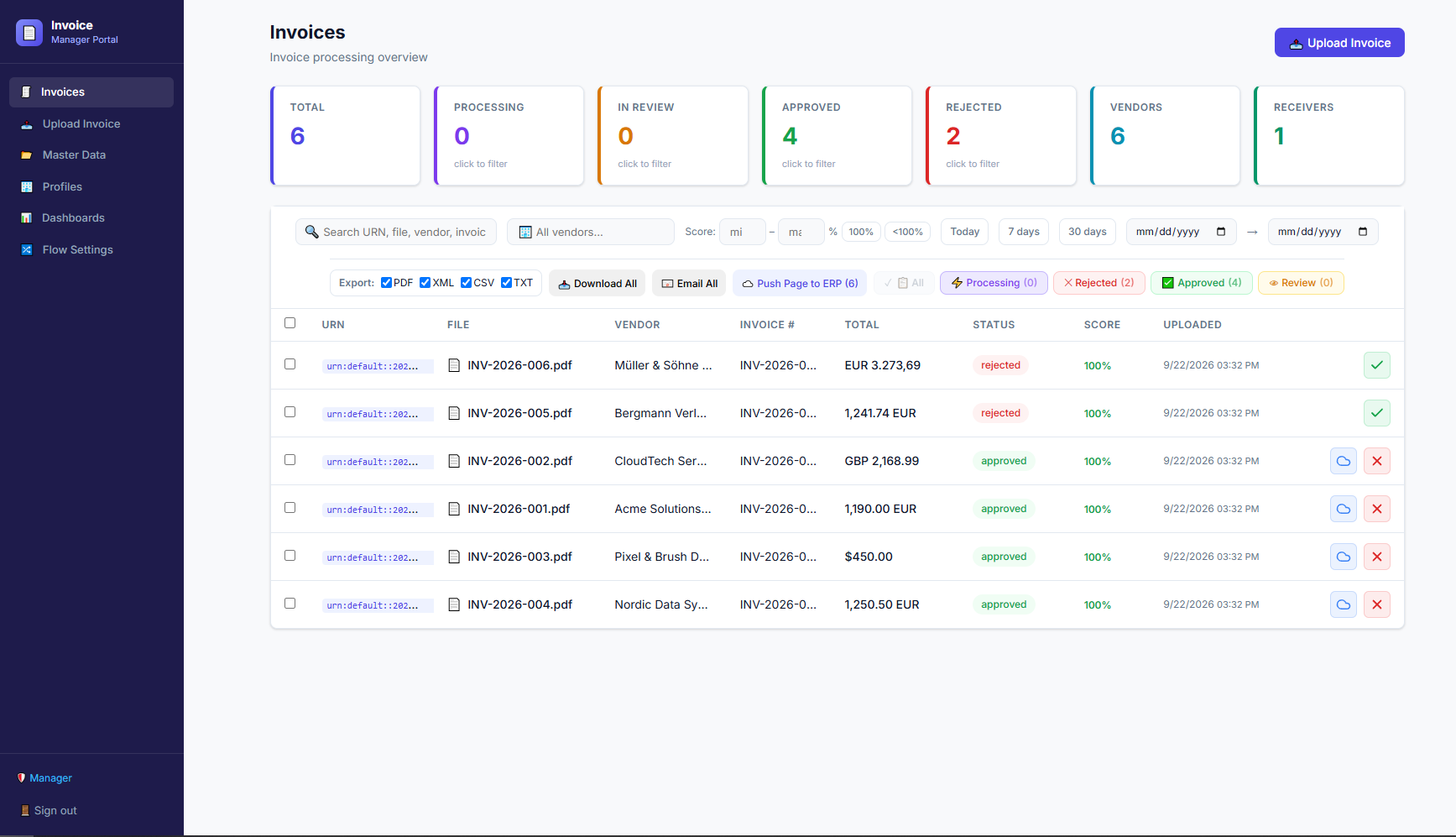
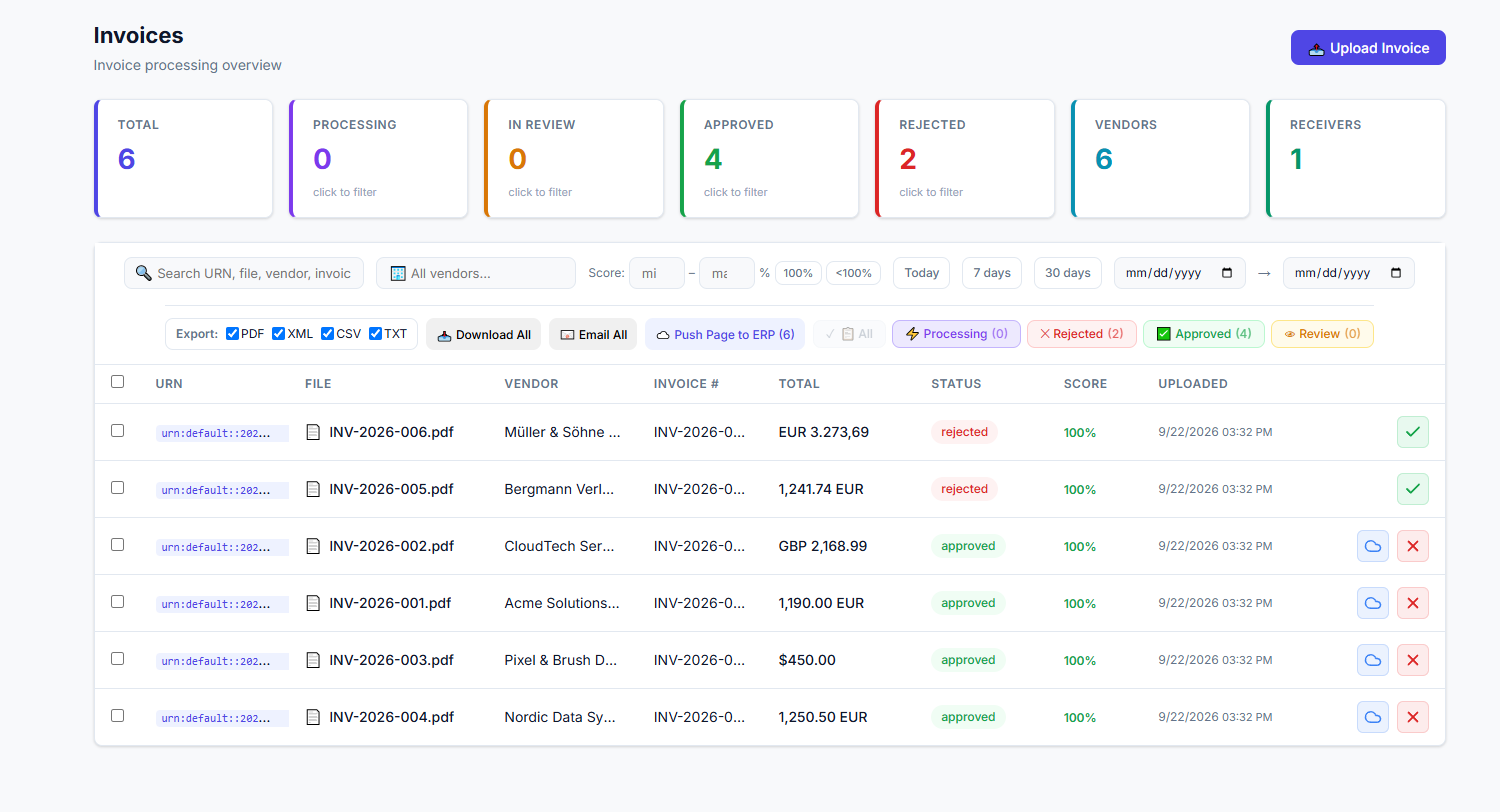
Keep the original invoice, extracted data, and approval decision in one focused workspace.
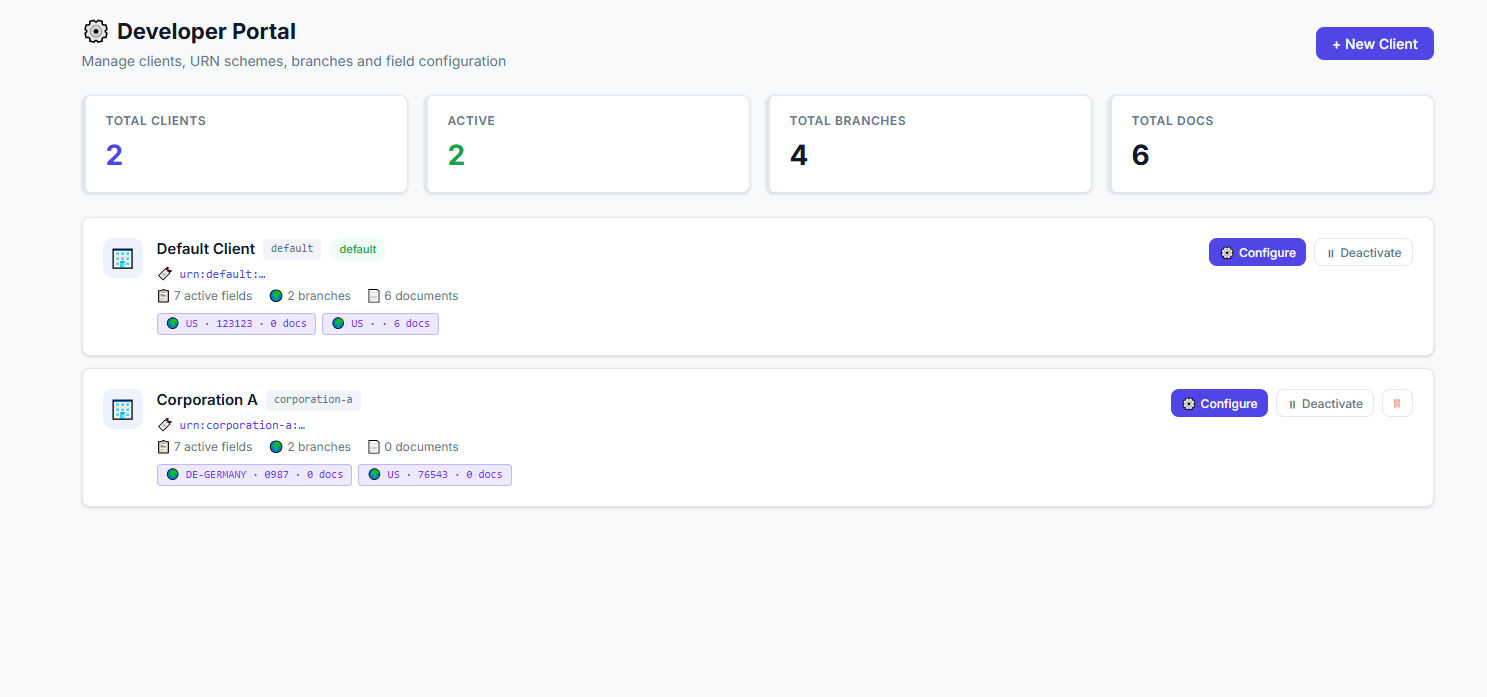
Keep URNs, fields, branches, and document rules ready for every entity you manage.
Send multiple PDFs through the right client and branch before extraction starts.
Why Invoice Intelligence
Combine AI-assisted PDF invoice extraction with configurable fields, reference data, human review, and structured exports.
Invoice data is more useful in context. Maintain vendor, receiver, and purchase order reference lists alongside configurable extraction fields.
Review and edit extracted values, add notes, and explicitly approve or reject documents before approved invoice data is downloaded.
Configure client-specific fields and branch workflows, with document identifiers and review status available to your team.
Support your accounts payable process from PDF invoice upload through review, approval, and configurable TXT, CSV, or XML export.
Platform
Configure invoice fields, review extracted data, manage reference lists, and export approved records in formats your process can use.
Manage vendor, receiver, and purchase order reference lists, then use them to support consistent invoice review and data checks.
Configure which invoice fields are extracted and how exported values are named for each client workflow.
Configure branch-specific invoice processing and document identification for organizations managing multiple entities.
Review extracted fields, add reviewer notes, and approve or reject each invoice before downloading its structured output.
Join AP teams processing thousands of invoices a month with fewer errors, faster approvals, and a complete audit trail.